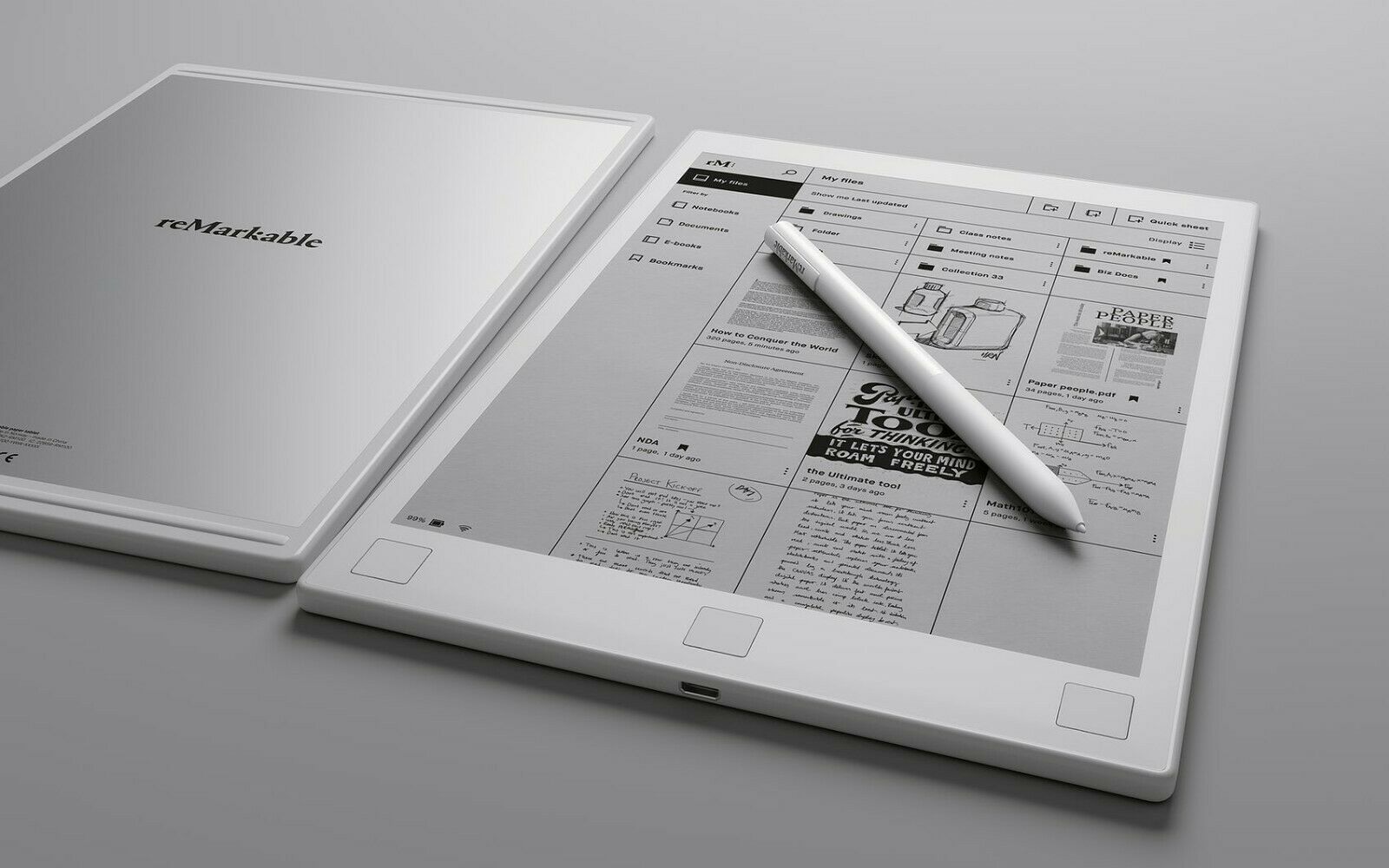
The digital world constantly evolves, and one area that has seen significant transformation is how we write, sketch, and take notes. Enter the reMarkable 3, the highly anticipated successor to the beloved reMarkable 2 paper tablet. Known for its distraction-free environment and paper-like writing experience, this latest version promises to elevate productivity and focus for writers, students, professionals, and creatives alike. But what exactly sets the reMarkable 3 apart in a market filled with tablets, e-readers, and smart notebooks?
In this comprehensive guide, we’ll unpack everything there is to know about the reMarkable 3 — from its hardware and performance upgrades to user scenarios and its potential impact on digital workflows.
The Rise of Paper Tablets: Why Devices Like reMarkable Matter
Before diving into the specifics of the reMarkable 3, it’s important to understand the growing popularity of e-paper devices. Unlike traditional tablets that double as entertainment hubs, paper tablets like reMarkable are designed with one thing in mind: focus.
These devices cut out distractions — no social media, no pop-up notifications, no tempting games. Instead, they offer a minimalist ecosystem centered on writing, reading, and sketching. This appeal has attracted students preparing for exams, executives organizing their day, and artists seeking a seamless way to sketch on-the-go.
reMarkable’s Journey: A Brief Look Back
The first-generation reMarkable launched in 2017, immediately earning praise for its unique writing experience. It replicated the feel of pen on paper using a proprietary CANVAS display and low-latency stylus. However, its high price and underdeveloped software made it a niche product.
Then came the reMarkable 2 in 2020 — thinner, sleeker, and much faster. With improved latency, a better marker pen, and enhanced cloud sync capabilities, it was hailed as the best e-ink writing tablet on the market.
Now, as we look ahead, expectations are sky-high for the reMarkable 3. The company has already proven that it listens to user feedback. So what can we expect from this third generation?
What to Expect from reMarkable 3
While official specs may still be under wraps, industry insiders and patent filings hint at several major enhancements.
Performance Boost
The reMarkable 2 was a marvel of efficiency, but it occasionally lagged with large notebooks or heavy PDF files. The reMarkable 3 is expected to include a more powerful processor and additional RAM — allowing for smoother multitasking and faster rendering of complex documents.
Color E-Ink Display (Possibly)
A much-rumored feature is the move to a color e-ink display. This would be a game-changer, especially for professionals who annotate graphs, educators creating colorful diagrams, and digital artists who require more vibrance than grayscale can provide.
Enhanced Writing Experience
Even though reMarkable already boasts one of the best stylus experiences on the market, early prototypes suggest that the reMarkable 3 will improve stylus pressure sensitivity, stroke accuracy, and palm rejection. This brings it even closer to the experience of pen on paper — arguably better, thanks to undo/redo and cloud storage.
Improved File Integration
Users have often asked for better ways to handle Microsoft Word, Google Docs, and file syncing with third-party apps. The upcoming model may feature more seamless cloud integration, improved document formatting, and possibly native app support for popular note-taking platforms.
Battery Life & Sustainability
The reMarkable 2 offered several weeks of battery life on a single charge. The reMarkable 3 is expected to maintain or improve this, possibly introducing more sustainable materials and a refined sleep mode for longer standby time.
Use Cases That Make reMarkable 3 Truly Remarkable
Whether you’re a student, executive, creative, or simply someone who prefers digital tools over traditional notebooks, the reMarkable 3 can fit smoothly into your lifestyle.
For Students and Academics
Imagine carrying thousands of textbooks, notes, and class handouts in one ultra-lightweight tablet. reMarkable’s annotation tools, text conversion, and PDF integration make studying far more efficient. The reMarkable 3 promises faster indexing and better organization features, making it a dream for students.
For Business Professionals
Need to jot down meeting minutes or sketch out your next big strategy? The reMarkable 3 is perfect for capturing your thoughts in real-time. With improved pen latency and better OCR (optical character recognition), converting your handwritten notes into typed text becomes even easier.
For Artists and Designers
While it’s no substitute for a high-end tablet like the iPad Pro for digital painting, the reMarkable 3 provides a clutter-free sketching environment. Its texture-based surface feels natural, and if color support is added, illustrators might use it more frequently for concept work or quick drafts.
For Writers
Many authors have praised reMarkable for being the “typewriter of the digital age.” With zero distractions, it’s just you and your thoughts. The reMarkable 3 could further this appeal by improving integration with word processors and offering tools for manuscript formatting.
Pros and Cons of reMarkable 3
Every product has its strengths and weaknesses. Based on expected updates and existing feedback, here’s a look at what the reMarkable 3 could offer:
Pros
- Unparalleled writing experience that mimics real paper
- Focus-first design with zero distractions
- Extended battery life with minimal energy consumption
- Sleek and minimalist design ideal for mobility
- Cloud sync & note conversion for seamless backups
- Possible color support for enhanced visuals
Cons
- Limited app ecosystem compared to full-featured tablets
- High price point, especially if color display is introduced
- No web browsing or media playback, which may not suit everyone
- Handwriting-to-text may still require polish in languages beyond English
How It Stands Against Competitors
reMarkable 3 vs Kindle Scribe
The Kindle Scribe is Amazon’s answer to e-paper note-taking, offering note-taking in eBooks. However, its writing experience isn’t quite as refined, and the note organization isn’t as comprehensive as reMarkable’s ecosystem.
reMarkable 3 vs iPad + Apple Pencil
The iPad is a multimedia powerhouse. But it’s also full of distractions. If your goal is deep work, journaling, or focused brainstorming, the reMarkable 3 wins in that department. It’s not trying to do everything — just one thing extremely well.
Why the reMarkable 3 Is a Tool, Not a Toy
One of the most compelling arguments for adopting the reMarkable 3 is that it isn’t a gimmick — it’s a tool for serious thinkers. Whether you’re outlining your next novel, designing a floor plan, or preparing for medical school exams, this tablet creates a sanctuary of creativity and clarity.
By keeping things simple, reMarkable has created a product that helps users reclaim their focus in an otherwise chaotic digital environment.
The reMarkable Community: Minimalist and Motivated
What truly sets this device apart is its community. reMarkable users often describe their tablets as more than a tool — they see them as an extension of their thought process. There are forums, subreddit groups, and digital spaces where templates, workflows, and hacks are shared every day.
If you’re someone who values productivity, reflection, and thoughtful work, you’ll find like-minded individuals here.
Conclusion: Is the reMarkable 3 Worth It?
The reMarkable 3 isn’t a flashy, do-everything gadget. It’s the opposite. It offers an elegant, focused, and truly immersive writing experience. With improved specs, possible color support, and smarter integration tools, it could very well become the ultimate digital notebook for serious professionals and creative minds.
In a world filled with noisy notifications and digital clutter, the reMarkable 3 might just be the oasis of calm your brain needs.
FAQs
Q1: Will the reMarkable 3 support color e-ink?
While not confirmed, industry leaks and patent filings suggest the possibility of a color upgrade.
Q2: Can I use reMarkable 3 for editing PDFs?
Yes, like previous versions, it will likely support full PDF annotation, now with faster processing and more precision.
Q3: Is the reMarkable 3 good for students?
Absolutely. With a distraction-free interface and better note management tools, it’s ideal for focused learning.
Q4: Does it convert handwriting to text?
Yes, and the feature is expected to be more accurate and multilingual in the new version.
Q5: Will it work with cloud services like Google Drive or OneDrive?
Improved third-party cloud integration is a key expectation for this model, enhancing cross-platform access.