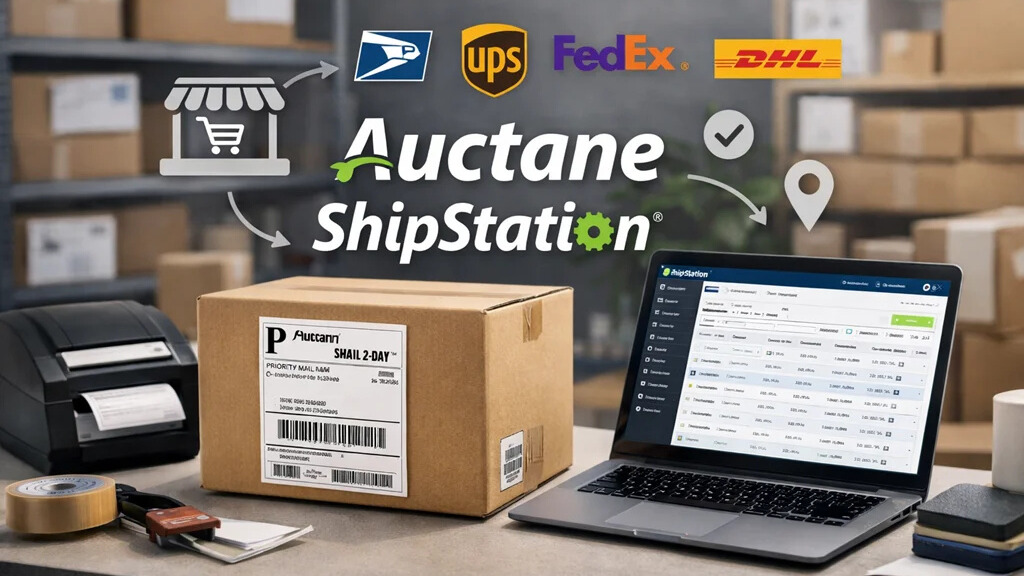
Shipping is one of those parts of running an online business that many sellers don’t think about—until orders start coming in and the workload grows fast. Labels, tracking numbers, multiple stores, different carriers, customer notifications… it all stacks up. This is where Auctane ShipStation steps in. It’s built to bring order, speed, and clarity to the chaos of fulfillment. If you’ve ever wondered what Auctane ShipStation really is, how it works, and whether it’s right for you, this in‑depth guide walks you through everything in a clear, human‑focused way.
Understanding Auctane ShipStation
Auctane ShipStation is a web-based shipping and order‑management platform designed to simplify how sellers manage fulfillment. Auctane, the company behind ShipStation, also owns well-known logistics tools like Stamps.com, ShipEngine, and ShippingEasy. ShipStation is one of their most widely used products because of its flexibility, automation features, and ability to integrate with almost every major selling channel.
At its core, ShipStation helps merchants pull in orders from multiple stores, compare shipping rates, print labels, track shipments, and communicate shipping updates to customers—all from one dashboard. Sellers who use platforms like Shopify, Amazon, Etsy, eBay, WooCommerce, Walmart Marketplace, and others often rely on ShipStation to bring everything together in a single place.
How ShipStation Works
ShipStation operates as a centralized hub where you can manage your entire shipping workflow. The idea is to eliminate repetitive tasks and help sellers spend less time figuring out fulfillment and more time growing their store.
To get started, sellers connect their online marketplaces or e‑commerce platforms. Once connected, ShipStation automatically imports new orders and keeps everything updated. From there, sellers can assign carriers, choose the best shipping service, print their labels, and generate pick lists or packing slips.
ShipStation also includes automation rules that can apply carrier services, weights, or package presets based on order details. Tracking information is synced back to customers, ensuring they receive accurate updates without needing manual handling. The entire experience streamlines operations so sellers can handle more orders with fewer errors.
Key Features Sellers Appreciate
ShipStation comes with a wide range of features, but a few stand out for everyday sellers looking to simplify fulfillment without needing a large logistics team.
Multi‑channel order management is one of its strengths. Whether your orders come from Amazon, Shopify, Etsy, or several platforms at once, ShipStation consolidates everything into a clean interface. This prevents mix‑ups and makes it easy to see which orders need immediate attention.
Another popular feature is discounted shipping rates. For sellers who don’t have negotiated rates with carriers, ShipStation offers access to reduced prices on USPS, UPS, DHL, and other services. This can significantly cut down on fulfillment costs, especially for small and mid-size businesses.
Automation is also a major benefit. Rules can apply carrier selections, packaging types, or service levels, reducing the need for manual input on every order. Over time, these rules save hours of repetitive work.
The platform also provides batch shipping, which allows sellers to process dozens or even hundreds of labels at once. This is especially valuable during peak seasons when order volume increases.
Sellers also appreciate branded customer experiences. ShipStation offers custom tracking pages, branded labels, and personalized email notifications, helping businesses present a polished, professional image from checkout to delivery.
Benefits for Everyday Sellers
For everyday sellers—those running small stores, mid‑size e‑commerce operations, or even home‑based brands—ShipStation offers time savings and peace of mind. The platform reduces errors by consolidating orders, offering automated workflows, and ensuring each step of the process is consistent.
Because everything happens in one dashboard, sellers don’t have to switch between different marketplace portals to manage shipments. This improves accuracy and avoids missed orders. The ability to compare rates instantly also helps businesses choose the most cost‑effective shipping option.
During busy seasons such as holidays, ShipStation provides stability by giving sellers predictable workflows. Instead of being overwhelmed by rising order volume, the system supports efficiency and organization. This is one reason many growing brands use ShipStation as part of their long-term operational foundation.
Who ShipStation Is Best For
ShipStation is ideal for independent sellers, home‑based businesses, and e‑commerce brands that sell on multiple platforms. If you operate a Shopify store, manage inventory for Etsy and Amazon simultaneously, or handle recurring subscription shipments, the platform creates a simplified environment to manage everything.
It’s also useful for small warehouses or fulfillment teams that need structured workflows without investing in expensive enterprise systems. The platform integrates with barcode scanners, automation tools, and warehouse processes, supporting teams that require accuracy and speed.
New sellers benefit from the platform’s user-friendly structure, but experienced merchants appreciate how ShipStation handles volume and complexity as their business grows.
Limitations to Consider
Even the best tools have limitations, and ShipStation is no exception. While it is powerful, there is a slight learning curve, especially for sellers new to shipping workflows. Some advanced features are available only on higher-tier plans, which may affect businesses on tight budgets.
Carrier‑specific features can vary. For example, certain USPS or UPS services may not be fully supported within every country, and sellers might need to connect their own carrier accounts for additional flexibility.
Additionally, while the platform automates most tasks, sellers still need to understand packaging, weights, and carrier requirements. Without this knowledge, errors can occur in shipments or pricing.
Understanding Pricing
ShipStation uses a tiered pricing system based on shipment volume, number of users, and access to certain advanced tools. Each plan includes core features such as order importing, branded pages, automation rules, and label printing. As businesses upgrade, they gain access to more user seats, higher shipment limits, and additional workflow controls.
Although exact pricing may change over time, sellers can expect that costs increase as they scale. The value often outweighs the investment, especially for businesses saving hours per week on fulfillment tasks. Many sellers start on a lower plan and upgrade as order volume expands.
Getting Started with ShipStation
Starting with ShipStation is straightforward. After creating an account, sellers connect their sales channels. This connection is secure, and most platforms sync automatically within minutes. Next, sellers link their shipping carriers or use ShipStation’s pre‑negotiated discounted rates.
Setting up automation rules is one of the most important early steps. You can create rules that apply services based on weight, product type, or destination. Once rules are active, orders begin moving through the system with minimal manual involvement.
From the ShipStation dashboard, sellers can review incoming orders, verify details, print labels, and organize shipment batches. It’s helpful to run a few test labels or shipments to understand the flow before peak orders arrive.
Tips for Better Results
To get the most out of ShipStation, sellers should focus on efficiency and consistency. Creating packaging presets saves time, especially for sellers who ship similar products repeatedly. Using automation rules ensures every order receives the correct service without manual adjustments.
Another helpful practice is reviewing analytics. ShipStation includes basic performance reporting that shows carrier spend, average shipment time, and order volume. These insights help sellers make smarter shipping decisions and identify areas where costs can be reduced.
Sellers should also test their workflows before busy seasons. Running through a mock fulfillment cycle helps ensure the system is prepared for larger volumes and that automation rules work as intended.
Why ShipStation Stands Out
ShipStation’s success comes from its blend of simplicity and power. It doesn’t require technical expertise, yet it offers advanced automation that can support thousands of shipments. The platform’s design is practical instead of rigid, allowing sellers to build workflows that match their business style.
The flexibility to integrate with dozens of carriers and over a hundred selling channels makes ShipStation more adaptable than most tools on the market. Sellers who started as weekend hobbyists often continue using it years later as they expand into larger operations.
Conclusion
Auctane ShipStation is more than just a label‑printing tool—it’s a full shipping management system designed to support everyday sellers working hard to deliver a great customer experience. By simplifying the fulfillment process, organizing orders from multiple channels, and offering tools that reduce repetitive work, ShipStation gives online sellers the structure they need to run a smooth and professional operation.
Whether you’re just starting your e‑commerce journey or looking to streamline an already‑busy store, understanding what is Auctane ShipStation can help you make smarter decisions about your shipping setup. With the right workflow in place, sellers can save time, reduce stress, and deliver reliable, consistent service to customers every single day.
you may also read A Beginner’s Look at How Zvodeps Really Works
FAQs
1. What is Auctane ShipStation used for?
Auctane ShipStation is used to manage orders, compare carrier rates, print labels, and track shipments from one central dashboard. It helps sellers simplify and automate day‑to‑day shipping tasks.
2. Does ShipStation work with multiple online stores?
Yes. ShipStation connects with major platforms like Shopify, Amazon, Etsy, eBay, WooCommerce, and many others, allowing sellers to manage all orders in one place.
3. Is ShipStation good for new or small sellers?
It’s a strong option for new and small sellers because it reduces manual work and makes fulfillment easier. Many small businesses use it to stay organized as they grow.
4. Do I need my own carrier accounts to use ShipStation?
Not necessarily. ShipStation offers discounted carrier rates, but sellers can also link their own USPS, UPS, FedEx, DHL, or other accounts if they prefer.
5. Does ShipStation automate shipping tasks?
Yes. ShipStation includes automation rules that apply shipping services, packaging presets, and workflows automatically, helping sellers save time and reduce errors.